
ZimContext
Serve offline knowledge bases to humans and LLMs alike
The Problem
LLMs are incredible at writing code, but they hallucinate APIs that don't exist and suggest deprecated patterns from their training data. The fix is giving them access to current documentation — but that's getting harder every day.
Web searches return SEO-optimized noise. Direct website fetches get blocked by bot detection. Rate limits throttle automated access. And if you're working in an air-gapped or privacy-sensitive environment, external network calls aren't an option at all.
About ZimContext
ZimContext reads ZIM archives and serves their content as plain HTML — no client-side JavaScript framework required. Search engines, LLMs, and humans get direct access to articles from Wikipedia, Project Gutenberg, developer documentation, TED Talks, and thousands of other offline knowledge bases.
An MCP (Model Context Protocol) endpoint lets LLM tools like Claude Code, Cursor, and Cline search and read articles natively — giving AI assistants instant access to offline documentation with zero API keys, zero rate limits, and zero network dependency.
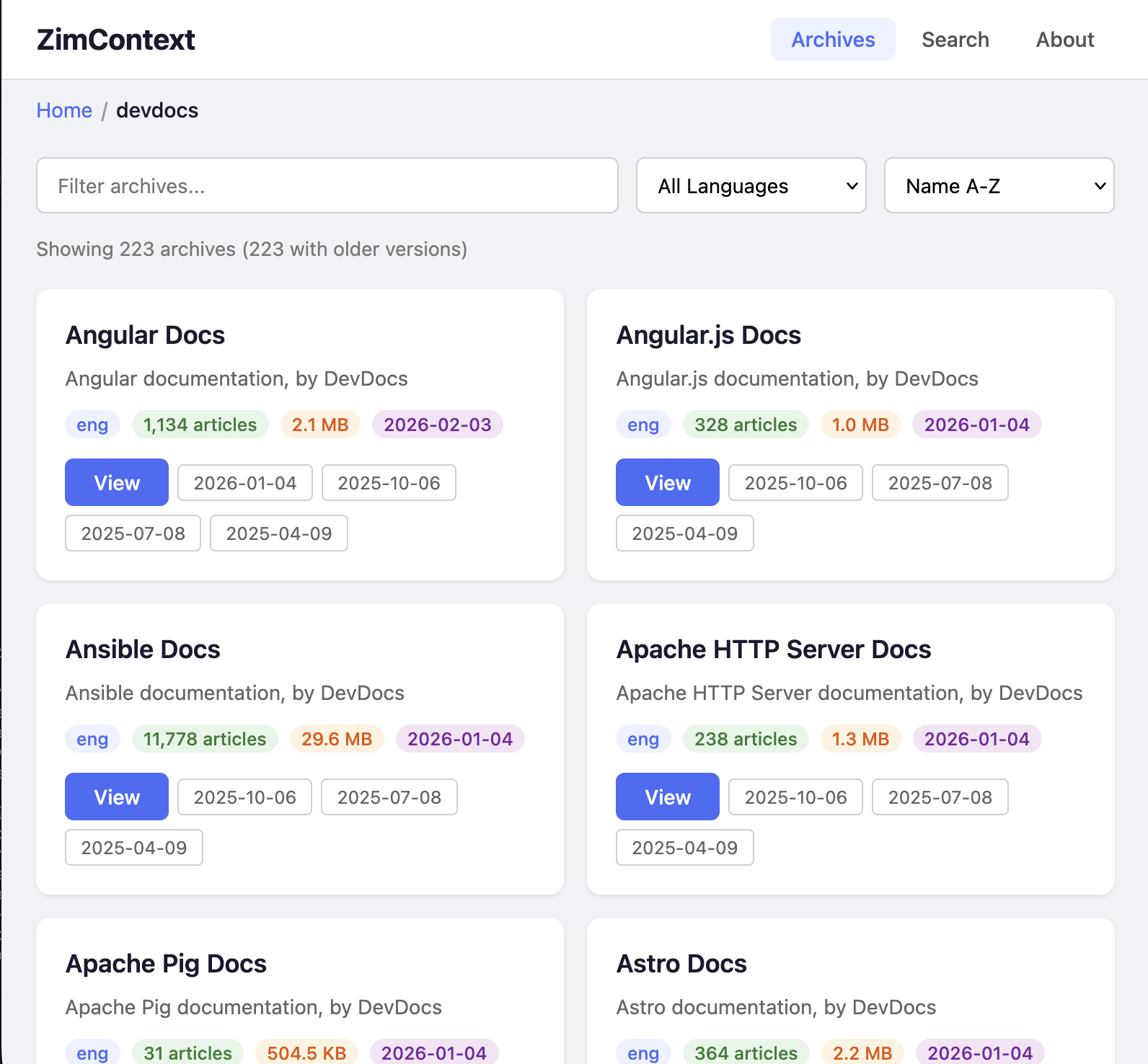
Drop ZIM files into a directory, start ZimContext, and you have a fully-indexed knowledge server ready for both human browsing and AI-powered lookup. The catalog organizes archives into a browsable folder structure, and the search spans every loaded archive simultaneously.
Key Features
🤖 MCP Endpoint
LLMs discover and call tools via JSON-RPC 2.0. Search docs, list articles, and read full content — all from your AI assistant with no configuration beyond a URL.
🌐 Server-Side Rendering
Complete HTML delivered to clients. Works with curl, fetch, browsers, and screen readers — no JavaScript required.
🔍 Cross-Archive Search
Title and content-based search across all loaded archives simultaneously. Search React docs and Wikipedia in the same query.
⚡ Pure Go
No C/C++ dependencies. Single static binary with spec-compliant ZIM reader supporting Zstd, LZMA, Zlib, and Bzip2 compression.
📁 Folder-Based Catalog
Organize hundreds of archives into folders. The catalog reflects your filesystem structure with browsable navigation and per-folder filtering.
🐳 Docker Ready
Alpine-based container with multi-arch builds. Mount your ZIM directory and you're serving knowledge in seconds.
Real-World Use Cases
ZimContext solves a different problem depending on who you are and where you work.
🧠 Give Your AI Coding Assistant Current Documentation
Add ZimContext as an MCP server to Claude Code, Cursor, or any MCP-compatible tool. Your LLM can then query up-to-date API documentation and framework examples instantly, for free, with no rate limits and no risk of getting blocked by bot detection.
The result: LLMs build the right thing with current practices instead of hallucinating APIs from outdated training data. Without ZimContext, the LLM has to perform a web search or fetch a specific website you provide — both of which are becoming increasingly blocked as LLM adoption grows.
Example: Claude Code + DevDocs
Load 260+ DevDocs archives covering React, Node.js, Python, Go, Rust, PostgreSQL, and more. Claude Code calls search_docs to find the right API, reads the full documentation with get_doc, and writes code that actually matches the current version of the library.
🏢 Enterprise and Air-Gapped Environments
Some organizations can't send queries to cloud services like Claude or OpenAI. Intellectual property, compliance requirements, or security policies prohibit sharing internal context with external providers.
In these environments, teams use self-hosted models like Qwen-Coder or DeepSeek with tools like opencode. ZimContext gives these local models the same documentation access that cloud-connected LLMs take for granted — without revealing internal secrets or sharing usage data with a potential competitor.
Example: Defense Contractor
An air-gapped development network runs a local LLM for code assistance. ZimContext serves the full DevDocs library, Wikipedia, and internal documentation archives on the same isolated network. Developers get AI-powered doc lookup without any data leaving the building.
🔌 Offline Resilience — When the Internet Goes Down
Power outage. Internet outage. Traveling without connectivity. You still want to research how to solve a problem, read reference material, or just read a book to pass the time.
Kiwix pioneered offline ZIM reading but requires assembling a library ahead of time with its desktop app. ZimContext takes a simpler approach: point it at a directory of ZIM files and it handles discovery, indexing, and serving automatically. No library assembly, no GUI app — just a directory and a single binary.
Example: Remote Field Work
A researcher on a remote site carries a laptop with ZimContext serving Wikipedia, medical references, and technical manuals. Any device on the local network can browse the full library through a web browser — phone, tablet, or another laptop.
🎓 Education Without Bandwidth
Schools and libraries in areas with limited or expensive internet access need knowledge resources that don't depend on connectivity. ZimContext can serve the full English Wikipedia, thousands of TED Talks, textbooks from Wikibooks, and educational content from dozens of other sources to an entire classroom from a single Raspberry Pi.
Unlike cloud-dependent educational platforms, there are no per-student licenses, no subscription fees, and no usage tracking. The content is freely available from the ZIM ecosystem and ZimContext makes it instantly accessible.
Example: Community Library
A community library in a rural area runs ZimContext on a low-cost server, serving Wikipedia, Project Gutenberg's 70,000+ free books, and Khan Academy-style educational content to patrons over the local WiFi. No internet subscription required for the content itself.
MCP Integration
ZimContext exposes an MCP endpoint that any compatible AI tool can connect to. One URL gives your LLM access to every archive in your library.
Available Tools
list_archivesList loaded ZIM archives with metadata (title, language, article count, size)search_docsSearch articles by title and path across all archives simultaneouslylist_docsBrowse articles in a specific archive with paginationget_docGet full plain-text content of any article, ready for LLM consumptionHow It Works
- 1Download ZIM files from library.kiwix.org — Wikipedia, DevDocs, Gutenberg, TED Talks, Stack Exchange, and thousands more
- 2Point ZimContext at the directory. It discovers, indexes, and catalogs every archive automatically
- 3Browse in your browser — search across archives, explore the folder-organized catalog, read full articles with server-rendered HTML
- 4Connect your LLM via the MCP endpoint. One URL is all it takes for Claude Code, Cursor, or any MCP client to search and read every archive
Technical Stack
Server
- • Go 1.23+ — Single static binary, no runtime dependencies
- • SQLite — Catalog persistence and search indexing
- • HTML templates — Server-side rendering, no JS framework
- • MCP over Streamable HTTP — JSON-RPC 2.0 transport
ZIM Reader
- • Pure Go implementation — No C/C++ dependencies
- • Zstd, LZMA, Zlib, Bzip2 decompression
- • Spec-compliant with extended cluster support
- • Handles multi-GB archives efficiently
How It Was Built
ZimContext is itself a product of AI-assisted development — a demonstration of the multi-model workflow it was designed to support.
- 1
Reverse-engineer the spec
~3 hoursQwen-Coder-Next running on an NVIDIA DGX Spark read the C++ libzim source code and produced a detailed written specification of the ZIM binary format alongside a comprehensive suite of test cases.
- 2
Implement in Go
~5 hoursA second Qwen-Coder-Next session took the spec and test cases as input and implemented the pure-Go ZIM reader from scratch — no C bindings, no reference code, just the spec and the tests to pass. Reached 85% code coverage before handing off.
- 3
Finish with Claude Code
~2 hoursClaude Code stepped in to fix last-mile edge cases, build the HTTP server and catalog system, implement MCP integration, and polish the project into a shippable product.
9,300
Lines of code
3,300
Lines of tests
~10 hrs
Total AI time
~4–6 wks
Senior eng. estimate
Three models, two hardware platforms, zero humans writing parser code. A senior engineer would typically spend 4–6 weeks building a spec-compliant binary format reader with multi-codec decompression, HTTP server, search engine, and MCP integration from scratch. The AI pipeline delivered it in about 10 hours of compute time.
Requirements
- • Linux, macOS, or Windows server (or any Docker host)
- • ZIM files from library.kiwix.org (free, open-format archives)
- • Minimal resources — single binary, low memory footprint, runs on a Raspberry Pi
Your knowledge, always available
Give your LLMs accurate documentation. Keep your team productive offline. Serve an entire library from a single binary.